# Example 1: Creating a list
fruits = ["apple", "banana", "cherry"]
print(fruits)
Example 2: Accessing List Items
# Example 2: Accessing list items
fruits = ["apple", "banana", "cherry"]
print(fruits[1])  # Output: banana
Example 3: Modifying List Items
# Example 3: Modifying list items
fruits = ["apple", "banana", "cherry"]
fruits[1] = "blueberry"
print(fruits)  # Output: ["apple", "blueberry", "cherry"]
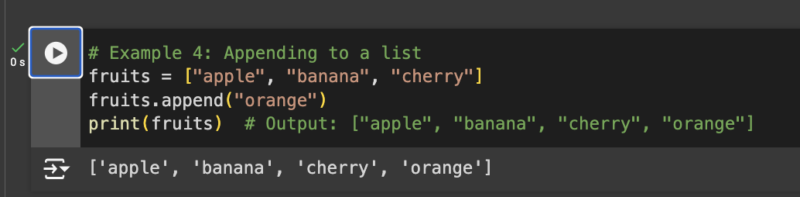
Example 4: Appending to a List
# Example 4: Appending to a list
fruits = ["apple", "banana", "cherry"]
fruits.append("orange")
print(fruits)  # Output: ["apple", "banana", "cherry", "orange"]
Example 5: Inserting an Item into a List
# Example 5: Inserting an item into a list
fruits = ["apple", "banana", "cherry"]
fruits.insert(1, "blueberry")
print(fruits)  # Output: ["apple", "blueberry", "banana", "cherry"]
Example 6: Removing an Item from a List
# Example 6: Removing an item from a list
fruits = ["apple", "banana", "cherry"]
fruits.remove("banana")
print(fruits)  # Output: ["apple", "cherry"]
Example 7: Popping an Item from a List
# Example 7: Popping an item from a list
fruits = ["apple", "banana", "cherry"]
popped_fruit = fruits.pop(1)
print(fruits)  # Output: ["apple", "cherry"]
print(popped_fruit)  # Output: banana
Example 8: Sorting a List
# Example 8: Sorting a list
fruits = ["cherry", "apple", "banana"]
fruits.sort()
print(fruits)  # Output: ["apple", "banana", "cherry"]
Example 9: Reversing a List
# Example 9: Reversing a list
fruits = ["cherry", "apple", "banana"]
fruits.reverse()
print(fruits)  # Output: ["banana", "apple", "cherry"]
Example 10: List Comprehension
# Example 10: List comprehension
squares = [x**2 for x in range(10)]
print(squares)  # Output: [0, 1, 4, 9, 16, 25, 36, 49, 64, 81]